Downloading and Running Games
Table of Contents
Downloading and Extracting
-
First, download the game version for Android (labeled with the word Android or in
.apkformat). If there is no version for Android, download the game version for Windows. -
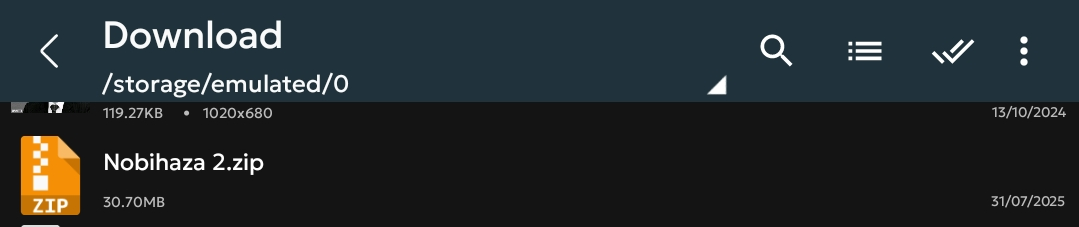
Open ZArchiver and tap on the newly downloaded file (usually in the
Downloadfolder).
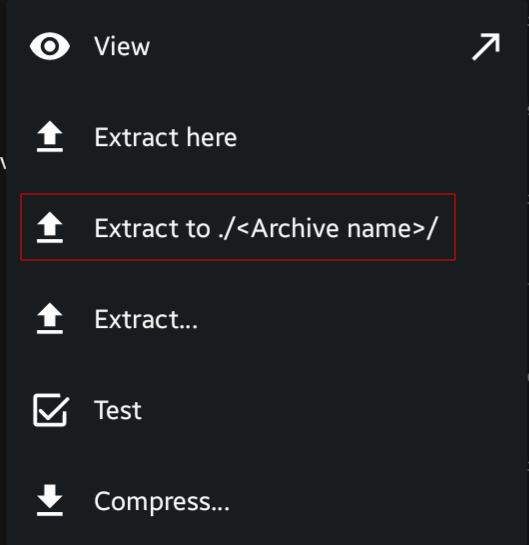
- Tap on **Extract to ./
/** (the 3rd option).
- Enter the password for the compressed file if required. Wait for the extraction process to complete and continue.
RPG Maker 2000/2003
You must use EasyRPG if you are playing games on a mobile phone.
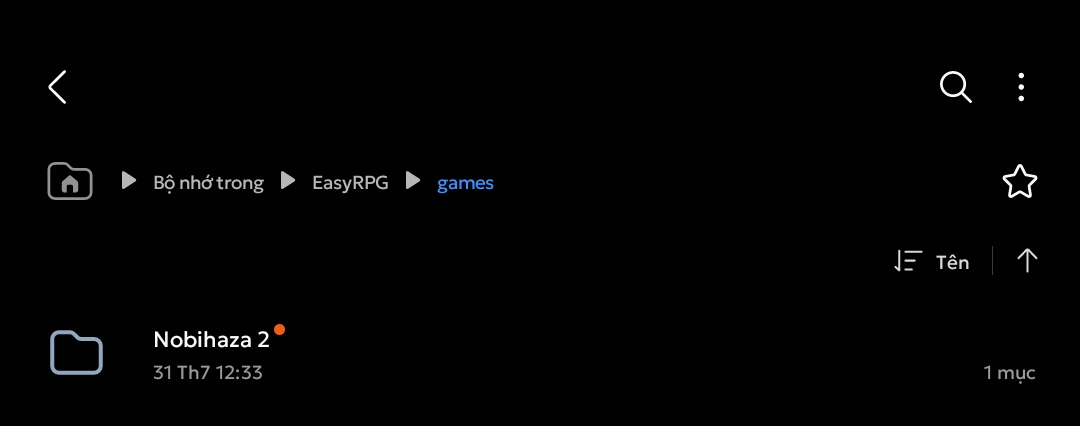
- Move the newly extracted game folder into the EasyRPG/games folder of your phone’s storage.
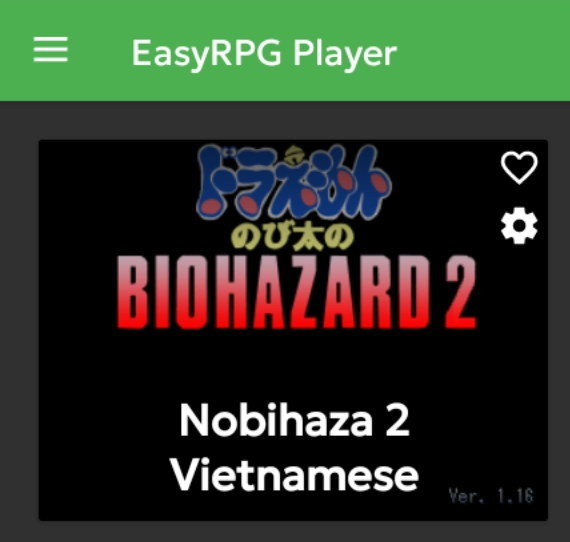
- Open the EasyRPG application and you will see the game you just downloaded in the list.
RPG Maker XP/VX/VX Ace/MV/MZ
APK Files
If the game you downloaded is an .apk file, install it like any other application and then play as usual.
Using JoiPlay
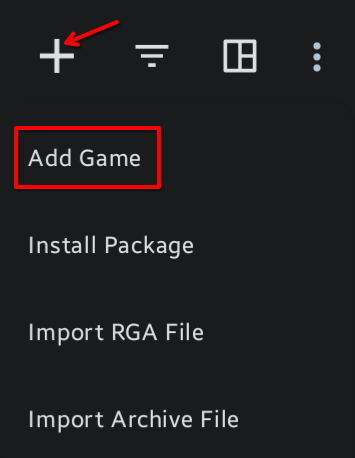
- Open the JoiPlay application, tap the plus sign in the top right corner and select Add Game.
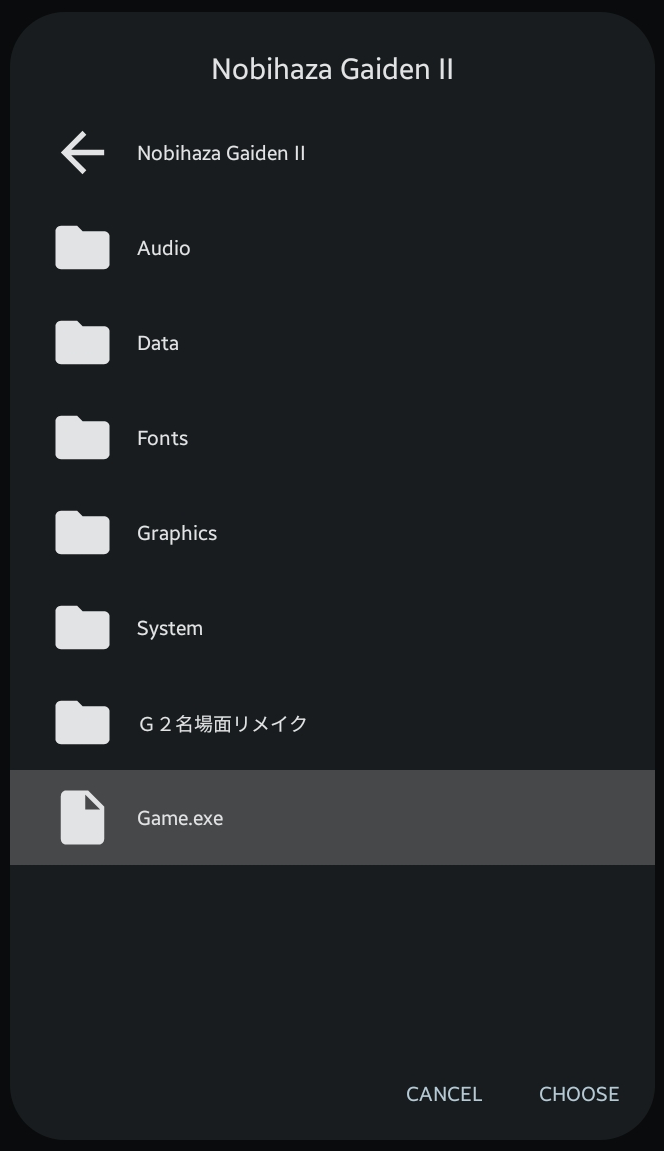
- Tap the Choose button and navigate to the game folder that you extracted earlier. Select the
Game.exefile in the game folder and then tap the Choose button.
-
JoiPlay will proceed to the section for entering the game’s name, version, and icon. You can change these as you wish, or tap Next repeatedly to skip (the version and icon can be left blank).
-
After it’s added, the game will appear in the list. Tap on the game to start playing.
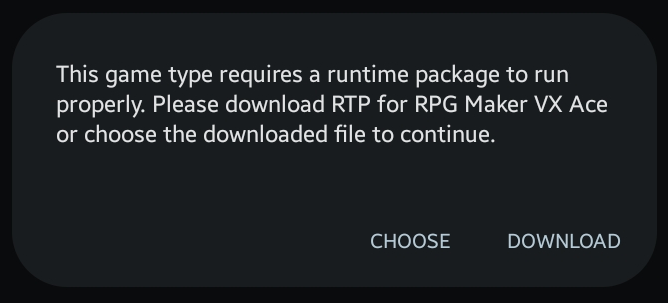
When you first run the game, JoiPlay may ask you to install the RTP for the game.
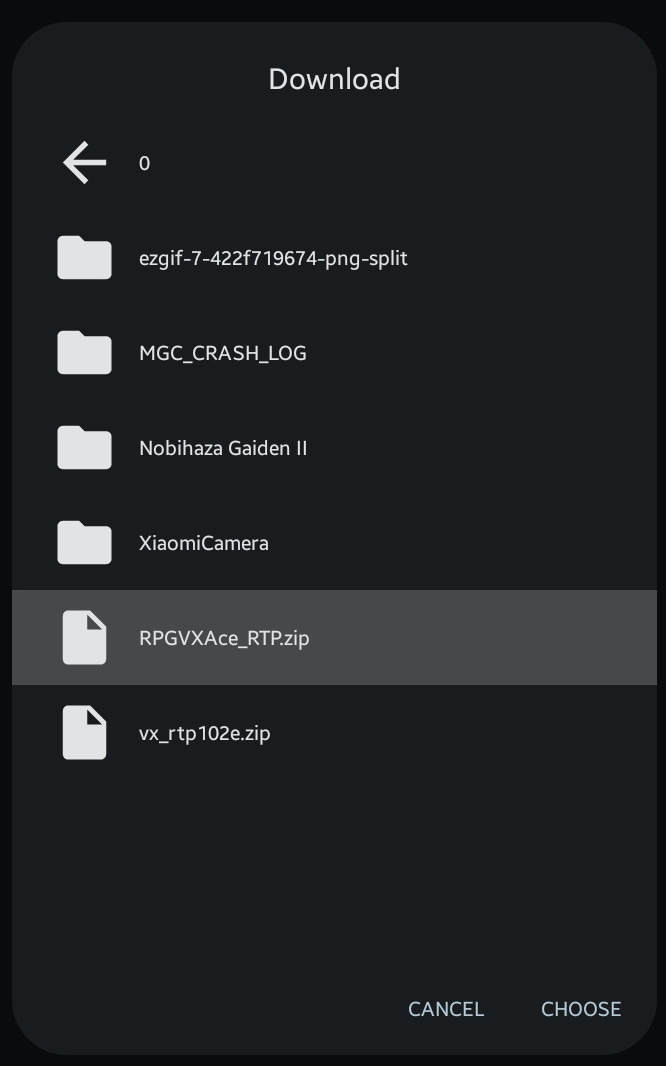
- Tap the Choose button and navigate to the RTP files you downloaded in the Prerequisites section. Choose
xp_rtp104e.exeif it’s RPG Maker XP,vx_rtp102e.zipif it’s RPG Maker VX, andRPGVXAce_RTP.zipif it’s RPG Maker VX Ace.
- Wait for the extraction and installation process to complete (you’ll see a message Runtime Package extracted successfully). Then restart the game.
You will also need to grant all file access permission to the RPG Maker Plugin for JoiPlay (the permission panel will open when you first run the game).